Why You are Receiving This Error
If someone in your clinic is receiving the following pop-up that says " You are not authorized to access this portal. Kindly contact your helpdesk administrator" follow these steps:
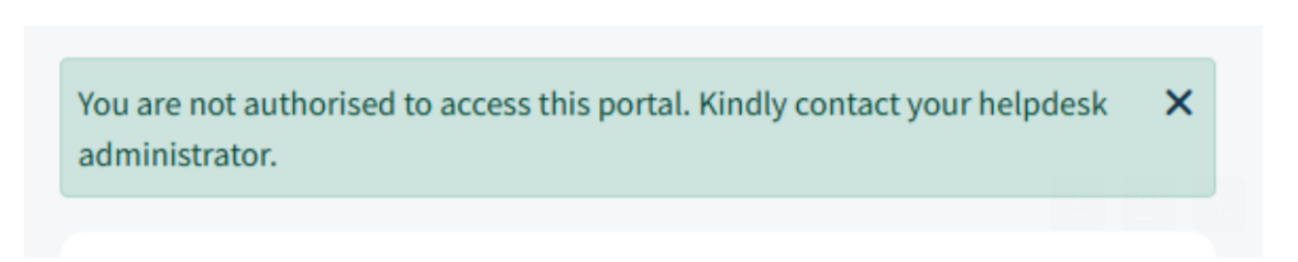
Our ticketing system uses Single Sign On (SSO) with your Infusive 503(b) ordering portal. If you are not signed into your 503(b) ordering portal, this may be the reason you are getting this error.
To fix it, simply sign into your 503(b) ordering portal and submit a ticket through there.
Submitting a ticket through the ordering portal
1) To submit a ticket sign into your 503(b) ordering portal and hoover over "Support" in the category bar.

2) Then select "Submit a Ticket"
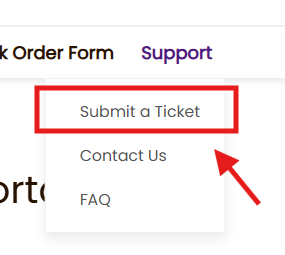
3) Click on the link to submit a support ticket and it should lead you right to the support portal.
If you are still having issues with access to the port please email support@goinfusive.freshdesk.com and we'll assist you.
Was this article helpful?
That’s Great!
Thank you for your feedback
Sorry! We couldn't be helpful
Thank you for your feedback
Feedback sent
We appreciate your effort and will try to fix the article